

How do I remove broken links in the Cascade WYSIWYG editor?
To completely remove a link in the Cascade WYSIWYG editor, it is best to use the link removal option directly from the editor toolbar. This helps ensure that no hidden link formatting is left behind.
Steps to remove a link
- In the WYSIWYG editor, locate the linked text.
- Just click in the link. Cascade will then automatically highlight the entire link. From there, use the Remove Link tool.
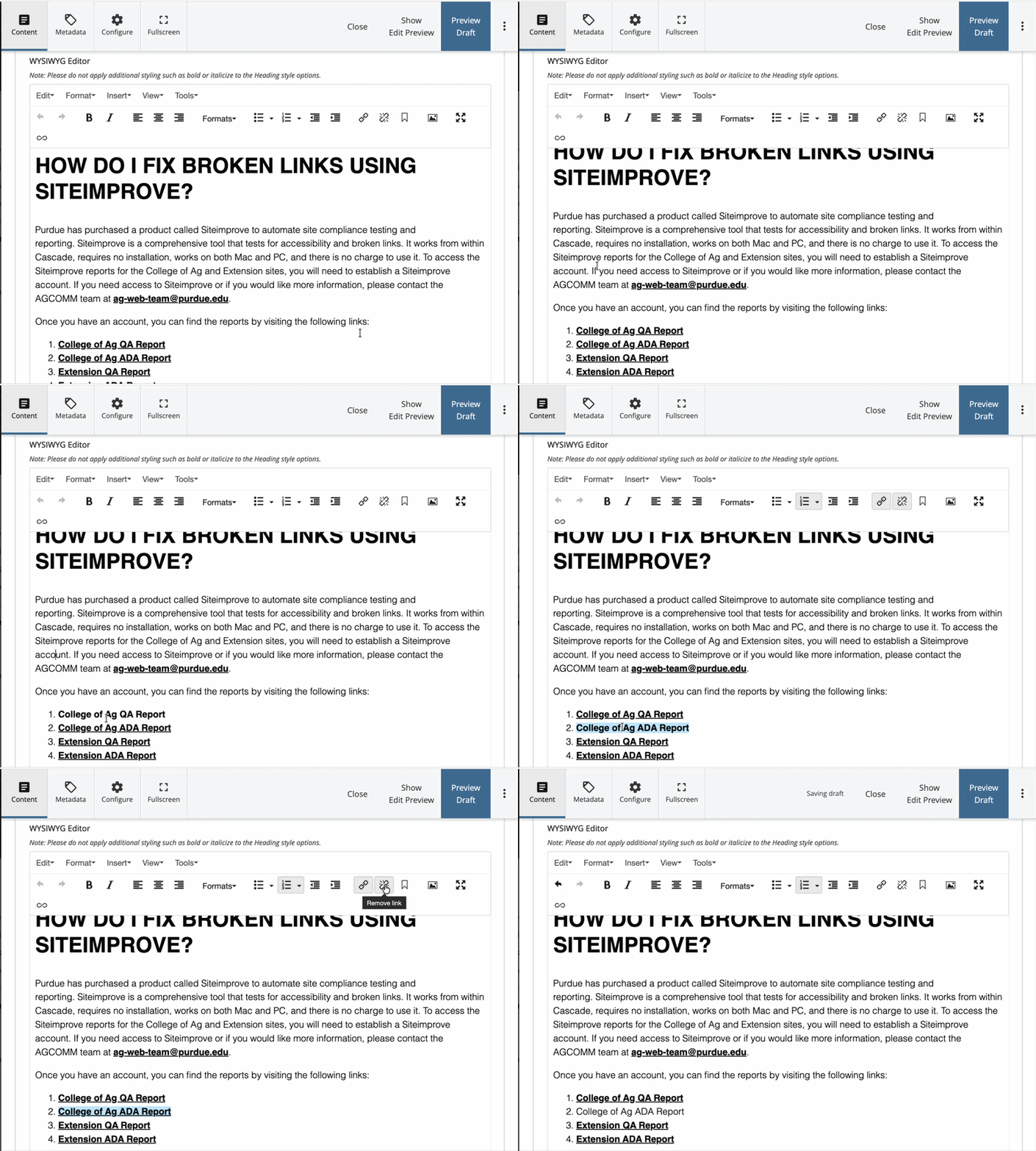
Example of clickingchain icon) icon from the menu to remove the link. 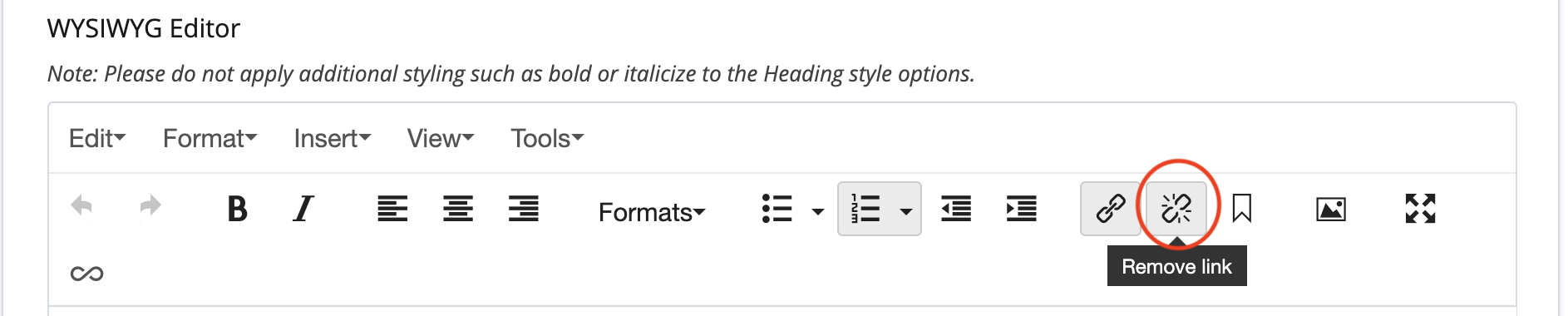
Screenshotperlink. After the link is removed, you can delete the text if you no longer need it on the page. - Save your changes and submit.
Using the Remove Link icon is the recommended method because manually deleting or editing the text may leave portions of the hyperlink behind.