
Elements Tips -Consultations
Extension Faculty/Specialist Consultations - Elements Tips
Brad Sewell, Strategic Initiatives Coordinator | Cheyenne Kleist, Data Analyst
January 26, 2026
College of Ag Elements website: https://ag.purdue.edu/department/arge/elements/index.html
Description
Consultations may or may not apply to Extension Faculty/Specialists depending on their role, academic department, staffing, and/or many other factors. Consultations occur when clients seek out Extension Faculty/Specialists to get education/information about a particular issue, need, or concern. Consultations may also result from client referrals received from PPDL, Ask an Expert, or others.
Consultations with clients may take place:
- in person,
- online or via Zoom, etc.,
- via phone call, text, or email,
- as referrals from PPDL, Ask an Expert, or others
Example consultations for Extension Faculty/Specialists may include:
- Conducting a farm visit to help a farmer with a livestock issue.
- Conducting a site visit to help a grounds manager diagnose a problem and/or develop an Integrated
- Pest Management (IPM) program.
- Discussing practices/technologies for conservation of resources.
- Fielding a phone call or email to help a stakeholder identify a potential pest problem and/or develop a solution.
- Helping a family map out their farm succession plan.
- Onsite farm visit to assess for safety issues for pesticide storage, equipment, etc.
- Providing technical assistance to community leaders or other clients.
- Receiving a call from a farmer seeking information about an upcoming food safety audit.
- Receiving a sample through PPDL, and providing an identification and solution for the client.
- Requests for wildlife conflict technical advice
- Sharing guidance, details, direction, or recommendations related to certification clients are seeking.
- Traveling to the client’s acreage of woods to assess and recommend forest management.
- Visiting a farm field for crop disease scouting/assessment.
- And, many others…
Consultation variations:
- Some are one-off activities that can be brief, straightforward, and take an hour or less.
- Others may become more involved with multiple interactions over time to solve longer-term issues/problems.
- As a result, Extension Faculty/Specialists may choose to report consultations for the year by:
- Putting all consultations for the year in one entry, or
- “Grouping” consultations into types to report them in a more meaningful way.
If Extension Faculty/Specialists have consultations with clients, they may document them in Elements under “Service” as “Consulting/Advisory”.
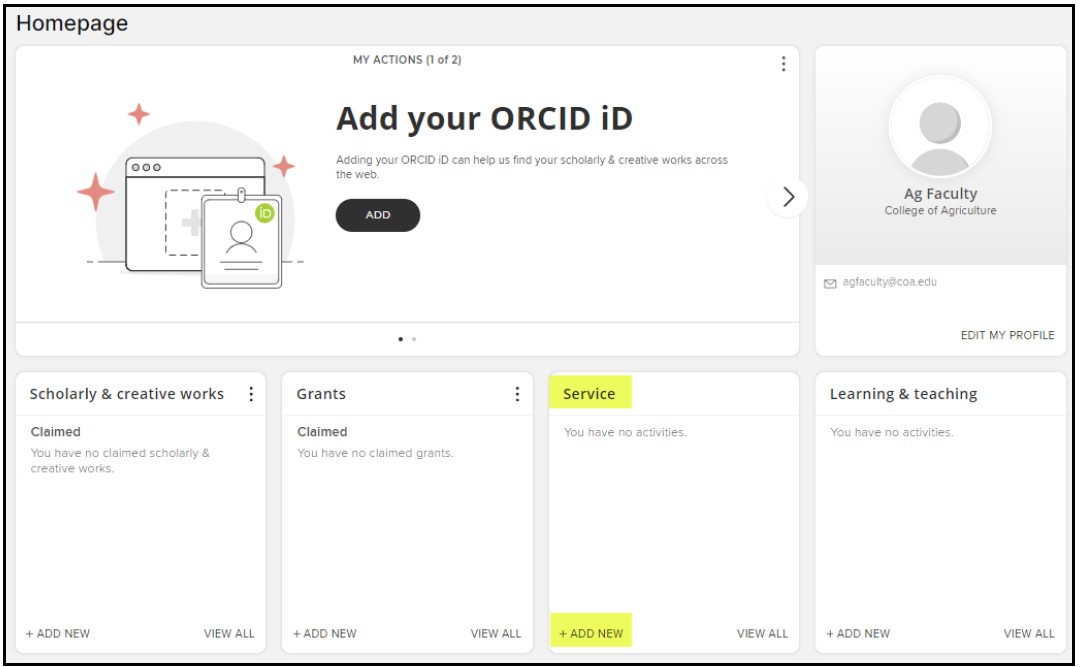
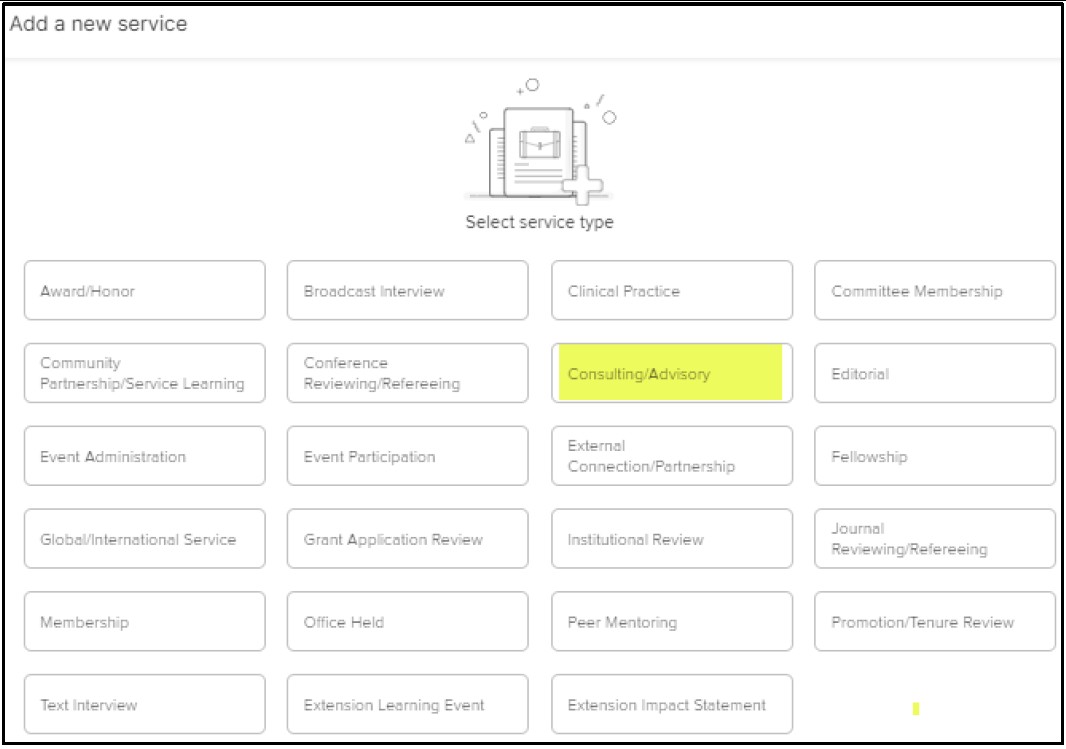
Elements: SERVICE – “Consulting/Advisory”
In the table below, the left column shows the Elements data fields for
“Consulting/Advisory”. The items in the right column are the instructions for how to document your Extension consultations.
Consulting/Advisory Data to enter
Role
Extension consultations – add a descriptor if applicable
Organization Type
<leave blank>
Partner/Organization Concentration
<leave blank>
Organization
<leave blank>
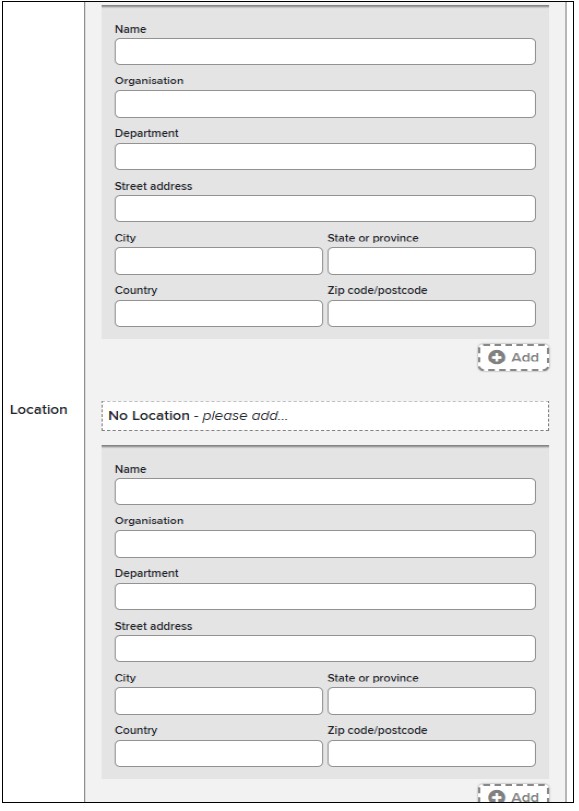
Location
< leave blank>
Hours Spent Per Year
Estimate time involved for the year
Activity Description
List total # of consultations
List total # of clients/contacts
Briefly describe consultations for the year
Faculty/Specialists may choose to:
Put all consultations for the year in one entry, or
Group consultations into types to report them in a more meaningful way
Start Date
1 Jan 20##
End Date
31 Dec 20##
URL
<leave blank>
Primary Scholarship Type
Select as appropriate
Secondary Scholarship Type Select: Extension
Select any others as appropriate
This is what the Elements > Service > Consulting/Advisory screen looks like.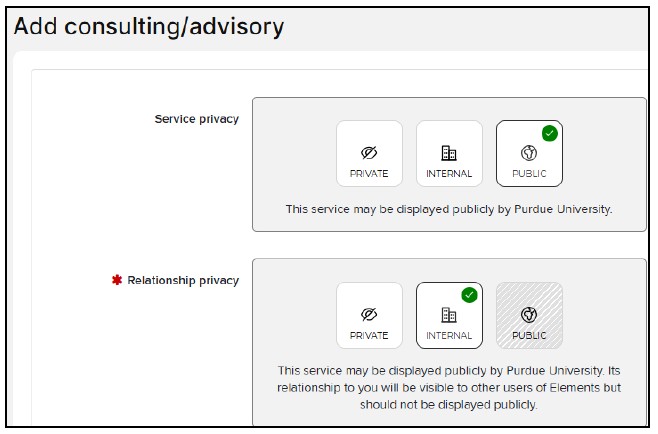
- Service Privacy is a setting that – in the future when all of Elements are in place – PUBLIC items could be included on Faculty/Specialist websites/web profiles. This would rarely apply to “Service”, but more likely “Scholarly & Creative Works”. More on that in the future.
- *Relationship Privacy “INTERNAL” is a setting where data entries are shared among Purdue Colleagues when they collaborate on an activity. This screen does not have the ability to identify “team members”, so that doesn’t apply to this data entry.
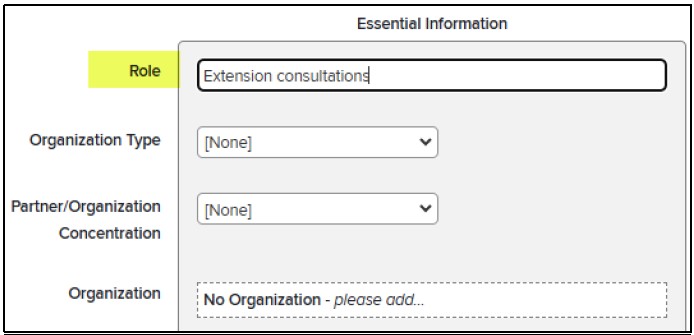
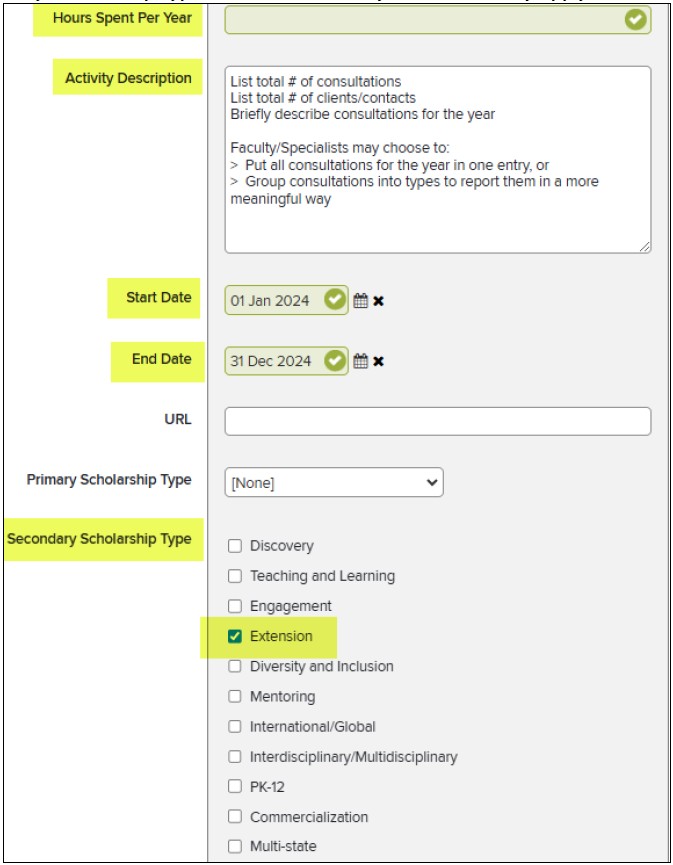
- Estimate hours for the year
- Add Description
- Put Start and End Date (01 Jan 20## to 31 Dec 20##)
- Select Secondary Scholarship Type “Extension” and any others that may apply.
- Click SAVE when complete

Questions
If you have questions about:
- Program evaluation, email evaluation@purdue.edu
- Reporting in Elements, email COAelements@purdue.edu