

Creating a New Appendix E in NIMSS
Go to the NIMSS website: nimss.org
Enter your Email Address and Password and click Log In.
If you do not know your password, click Forgot Password? and follow the directions on the next page.
If you are a new user, click New User? and follow the directions. Select Indiana-Purdue University as the Station Name.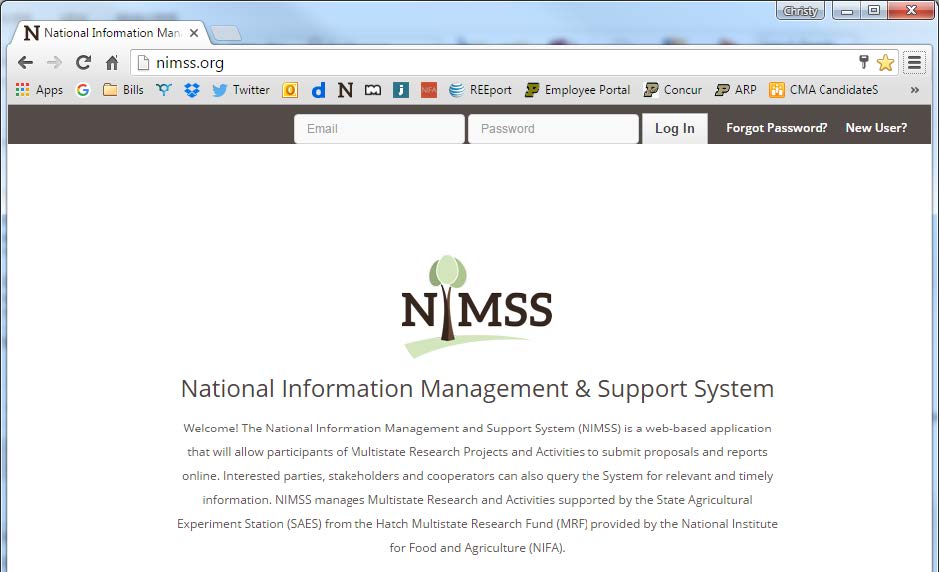
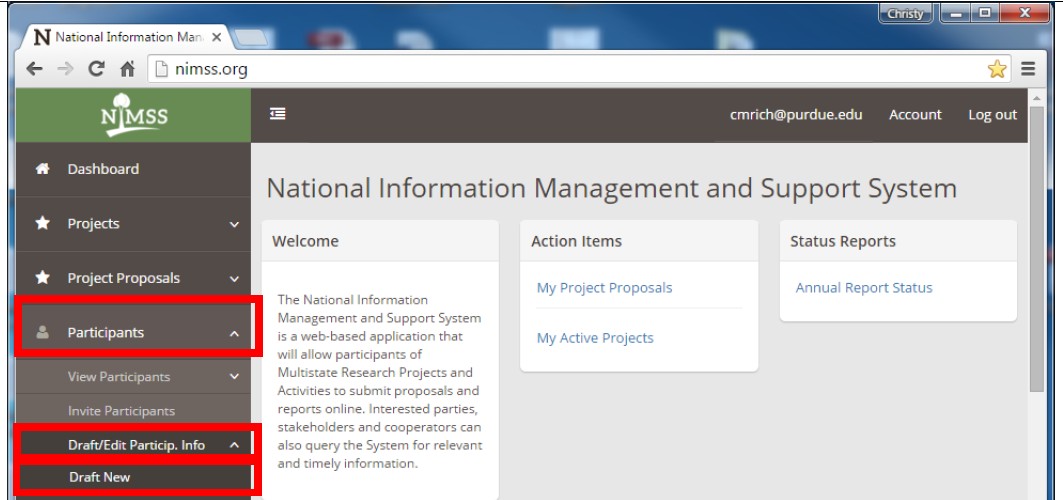
On the Lefthand Menu Column:
- Click on Participants,
- Click on Draft/Edit Participants Info,
- and then click on Draft New
Create New Appendix E:
- Project Number: Begin typing the project number and select the full name of the project when it appears (copy and paste does not work well in this field).
- User: Begin typing your first name. Select your name and correct station when it appears.
- Official Representative? Check this box as you are the official representative from Purdue University for this project.
- Objectives: Check which of the objectives for the project you will be working on. You must select at least one objective, but you may select as many as all of the them.
- Research Commitments: In decimal form, please indicate how much research effort will be committed to this project (typically, 0.1 for you as the scientific year faculty if you’ll be spending 10% or less of your time on this project) Use the PY and/or TY if you have students or assistants working on the project.
- Research: Enter the KA, SOI, and FOS codes that correspond with the research you will be conducting. Add more rows if necessary.
- Click on the Find Code links to select the codes.
- Extension: Enter the Extension FTE and KA(s) (if any).
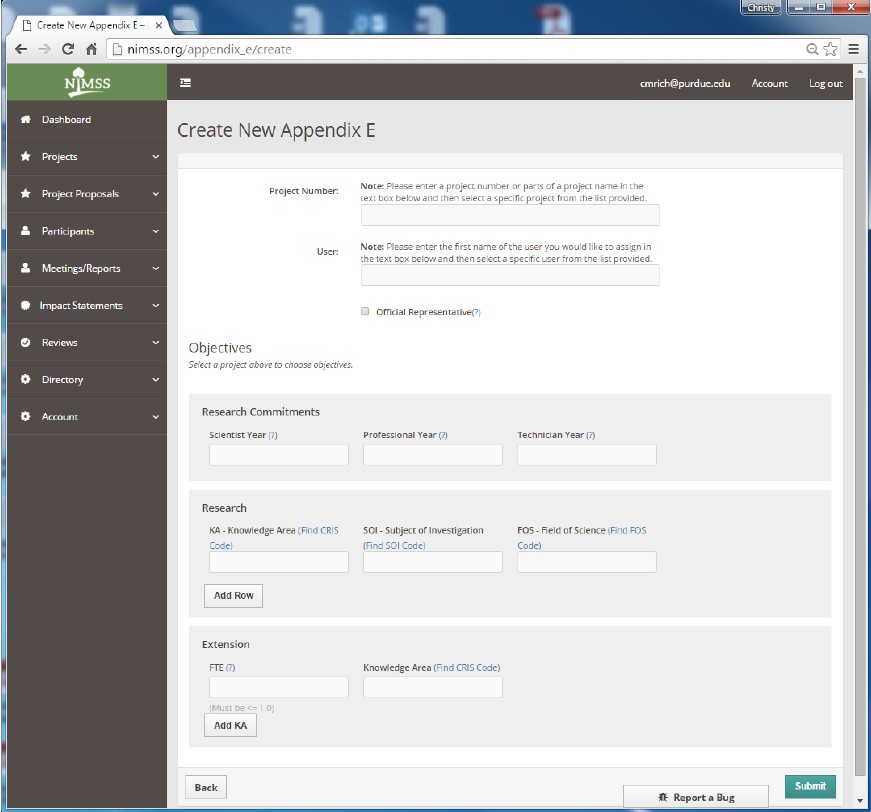
Click Submit.
An email will be sent to ARGE, they will review and submit your Appendix-E in NIMSS. You will receive an email confirmation when the Appendix E is submitted and approved.
If you have any questions or concerns, please feel free to contact Julie Estrada at estradaja@purdue.edu or 765-494-6047.