NRS Directions for Results
Returning users: Log in to NIFA’s reporting portal (nrs.nifa.usda.gov).
Click CUSTOMER, then Login.gov, enter the Purdue email address and password you created when you completed registration.
First time users: If this is your first time using NRS follow the NIFA Reporting System Registration Guide. instructions.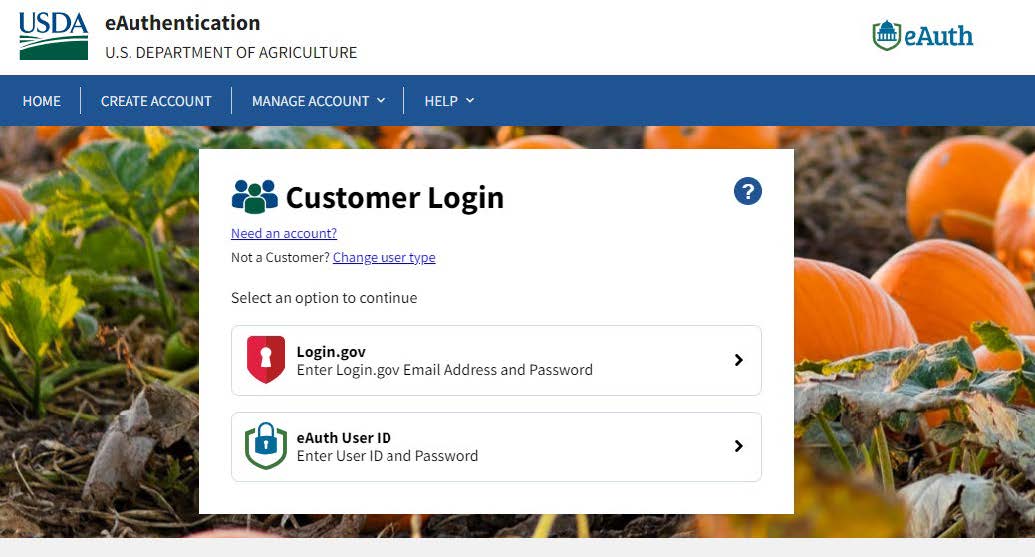
Please Note: If you receive this message after registering give the system a couple minutes and then refresh your screen and try logging in again. If you continue to have issue contact Julie Estrada at 494-6047 or estradaja@purdue.edu to help troubleshoot.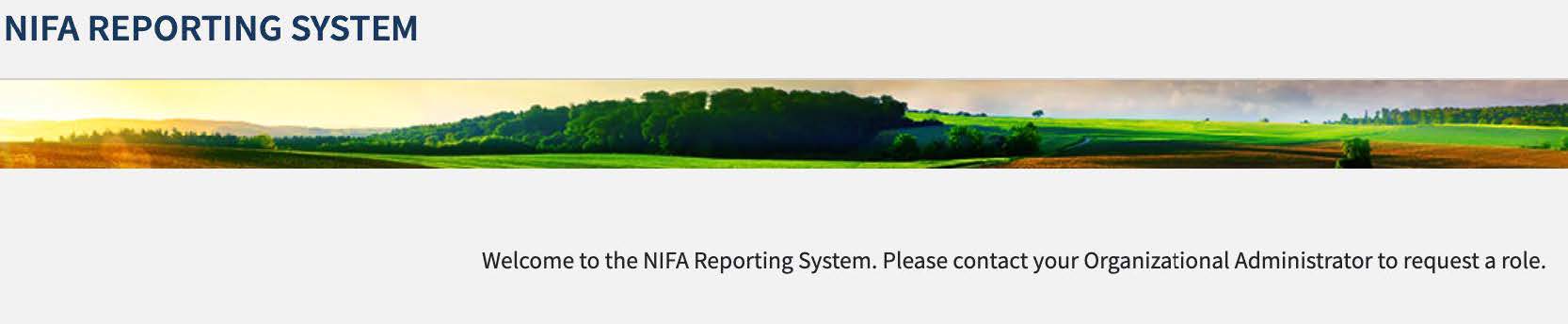
After you log into NRS you will be on the Dashboard page. Under Projects & Programs click View. (The example picture shows more categories than you will have on your dashboard page)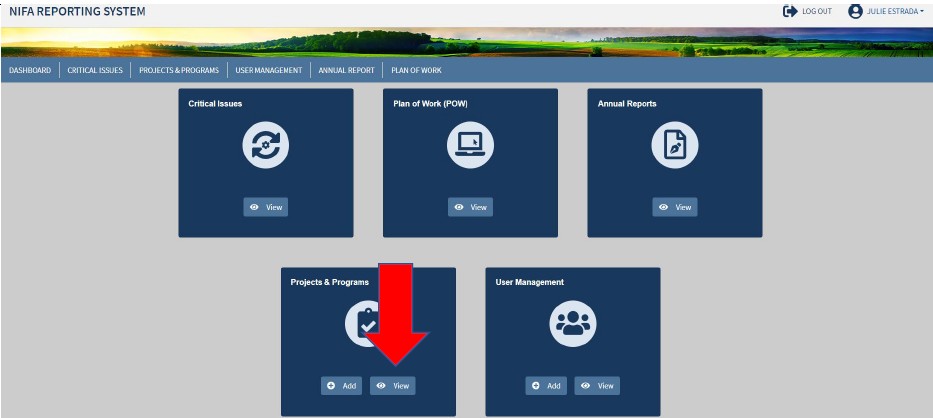
Search for your project by typing your name into the Project Director box.
When you project populates, click on the title to open.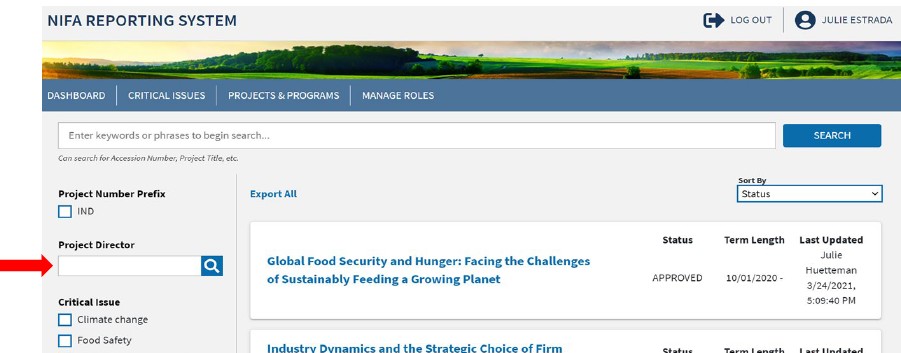
*DO NOT CLICK MANAGE PROJECT – this action may change the current project/program status (e.g., remove project/program approval)
Scroll down until you find the Results box. Click the caret on the far right of the Results box.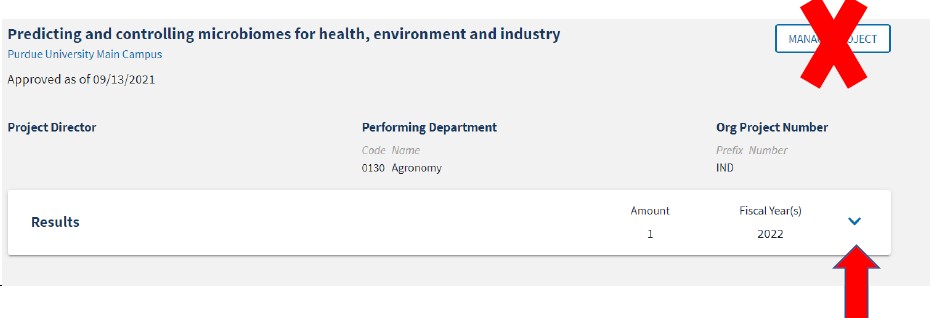
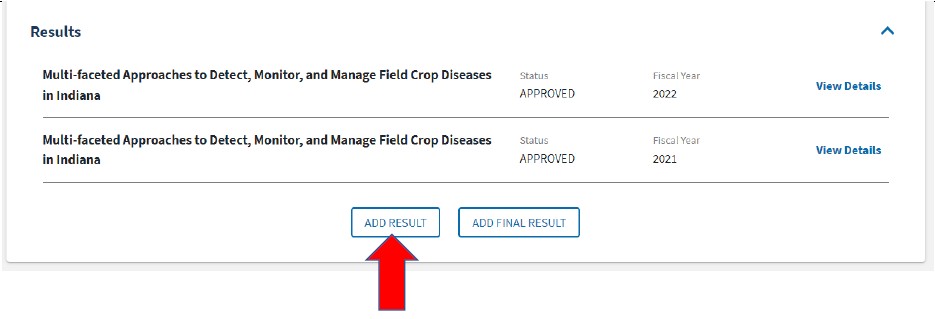
Results from previous fiscal years will show up. To access these results click view details.
To add a result, click ADD RESULT.
** If the project has ended the Add Final Result icon will show, click this icon instead.
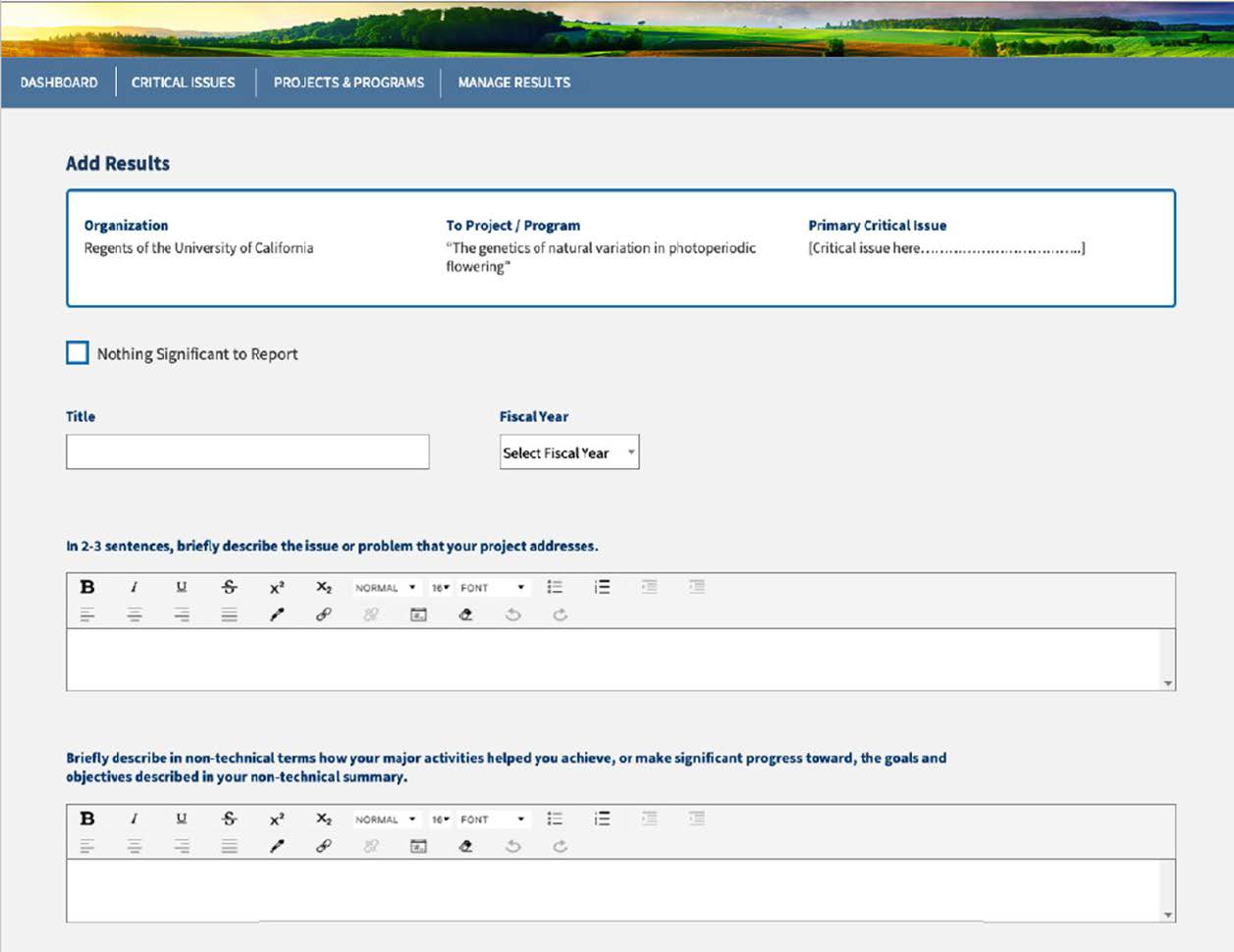
“Nothing significant to report” checkbox. This box should only be checked if there is nothing significant for the reporting period.
Title – Create a title that describes the results
Fiscal Year – you must choose a year
In 2-3 sentences, briefly describe the issue or problem that your project address. <Issue>
Briefly describe in non-technical terms how your major activities helped you achieve, or make significant progress toward, the goals and objectives described in your non-technical summary. <Activities>
**Describe the benefits and impact from using, applying or adopting tools, models, processes, products, innovations, technologies, databases, monitoring systems, inventories, curriculum/curricular materials, etc.
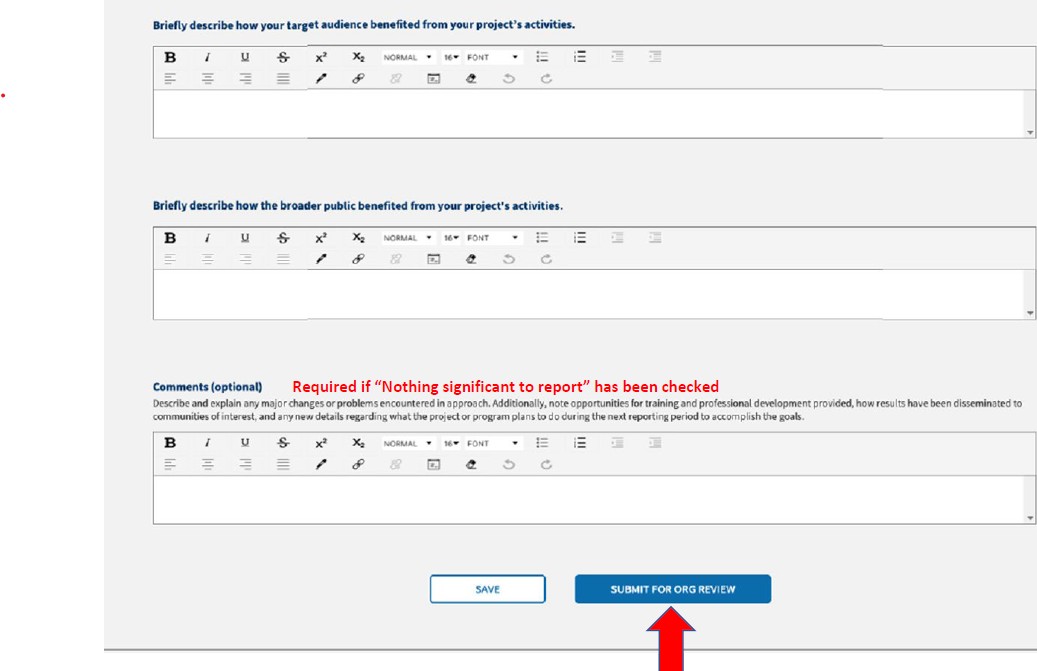
Briefly describe how your target audience benefited from your project’s activities. <Outcomes>
**Describe the benefits (including financial impact) and results from using, applying or adopting tools, models, processes, products, innovations, technologies, databases, monitoring systems, inventories, curriculum/curricular materials, etc.
Briefly describe how the broader public benefited from your project’s activities. <Public Value/Impact>
** Describe the social, environmental, economic, or community conditions impacted or improved
For Final Results the Comments field is required. Product reporting should be filled out if applicable, and the public access certification statement required selection is included on all Results.
Comments are optional for Annual Results.
Comments are required if selecting “Nothing significant to report”.
**Describe and explain any major changes or problems encountered in approach. Additionally, note opportunities for training and professional development provided, how results have been disseminated to communities of interest and any citations referenced in results.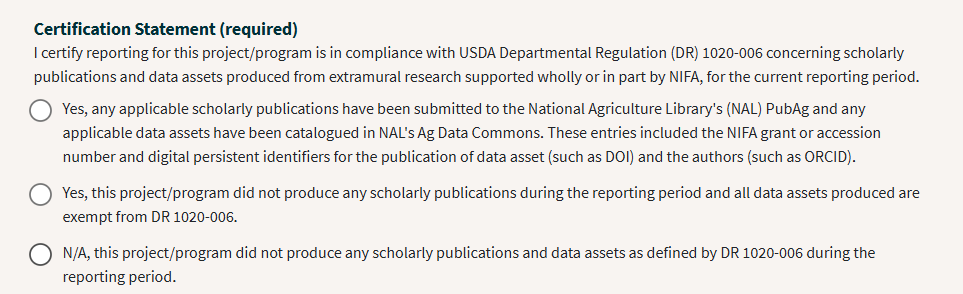
Submit for Org Review when you have completed all required sections